Transport Management
Use the Transport Management section to view and organise your delivery resources in Tarot.
Here you work with: - hauliers (transport providers) - vehicles (your fleet) - drivers (people doing the deliveries)
This section helps you keep your data accurate, which is important for route planning and reporting.
Hauliers
Use Hauliers to view and organise transport providers.
Here you can:
- see all hauliers in one place
- group them using a parent haulier
- check how many drivers each haulier can use
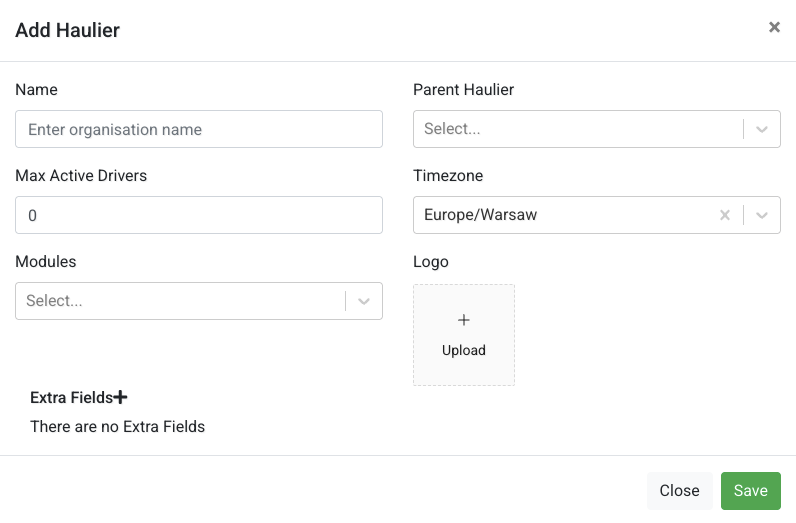
When adding a haulier, you can:
- enter a name
- assign it to a parent haulier
- set a driver limit
- choose a timezone
Info
Keeping hauliers organised helps you manage large operations more easily.
Vehicles
Use Vehicles to view and manage your fleet.
Here you can:
- browse all vehicles
- check key details like capacity and fuel usage
- see which vehicles are active
Click the edit icon to update a vehicle, or create a new one.
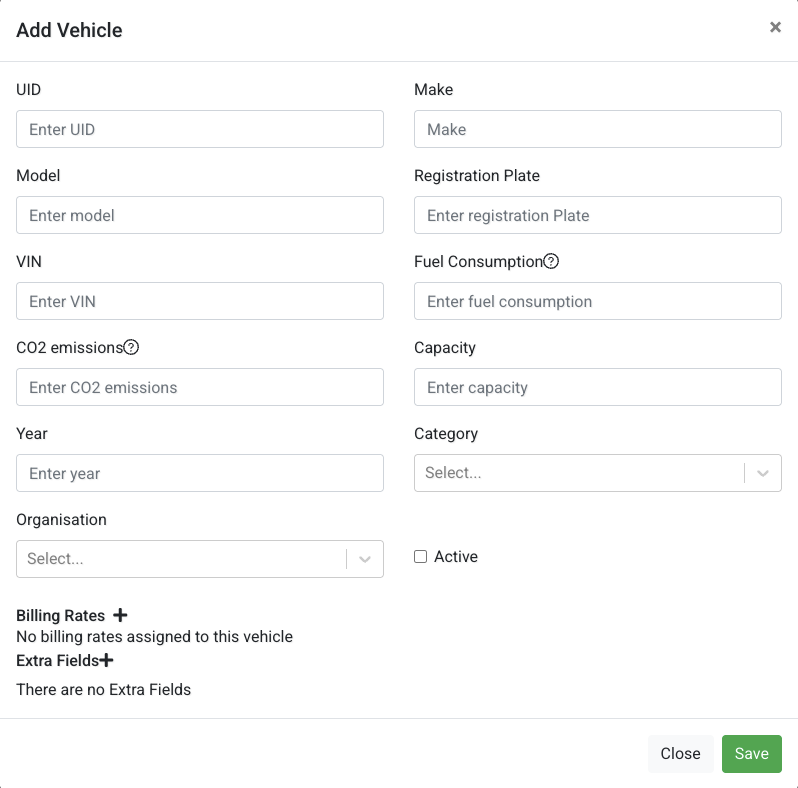
When adding a vehicle, you can:
- enter basic details (model, registration plate)
- set capacity
- add fuel consumption and emissions
- assign it to an organisation
Driver Users
Use Driver Users to view and manage drivers in Tarot.
Here you can:
- see all drivers
- check their contact details
- see which organisation they belong to
Click the edit icon to update a driver, or create a new one.
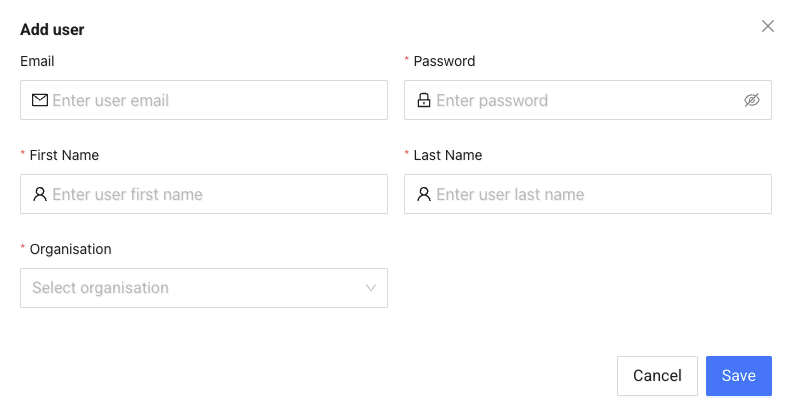
When adding a driver, you can:
- enter name and email
- assign them to an organisation
- set login access
Info
Drivers must be assigned correctly so they can receive and complete their routes.