Proof Settings
Use the Proof Settings tab to define which proof reasons are used by default in a scenario.
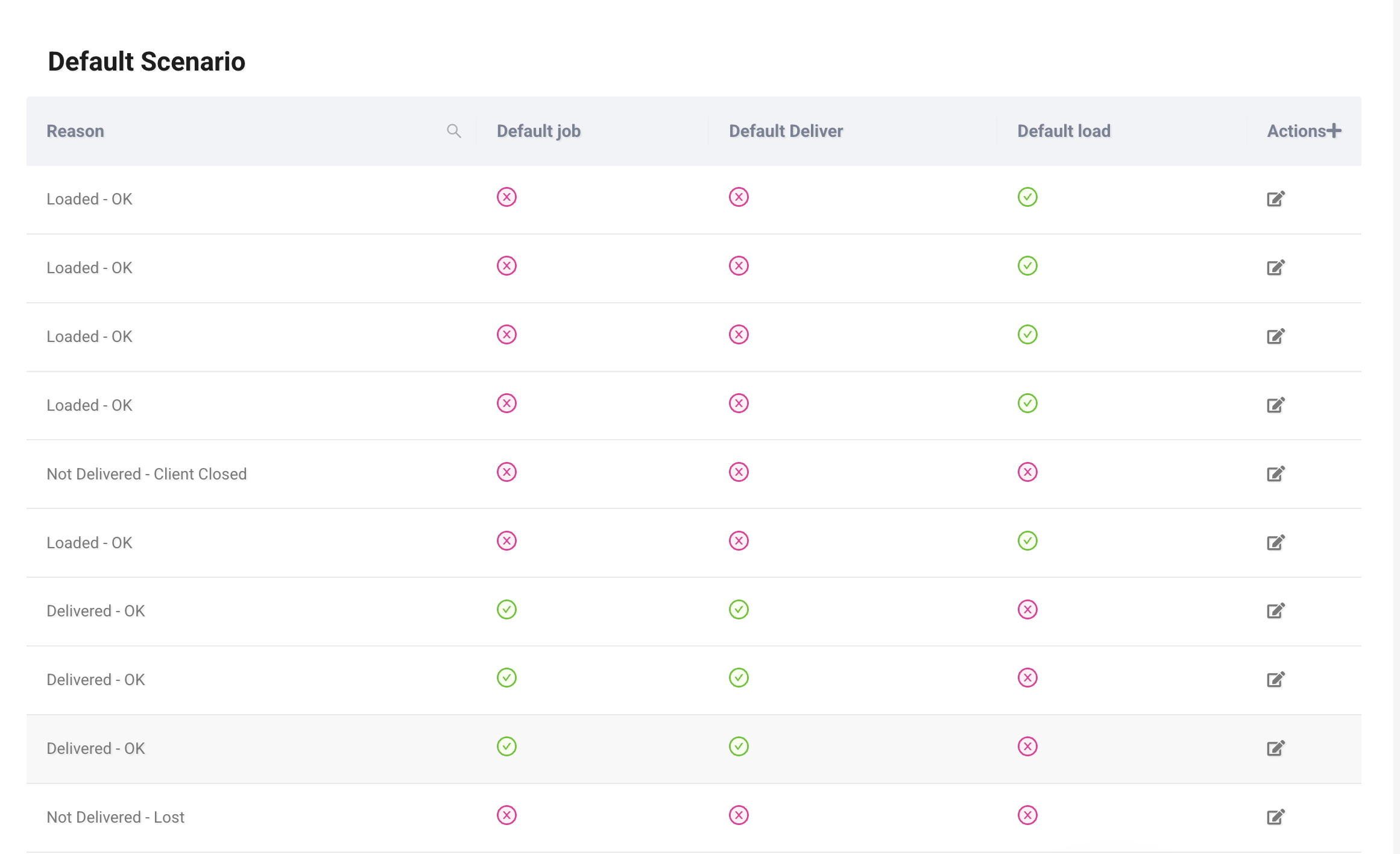
The table shows:
- Reason – The proof reason.
- Default job – Whether this reason is the default for job proof.
- Default deliver – Whether this reason is the default for delivery proof.
- Default load – Whether this reason is the default for load proof.
You can edit existing mappings.
Adding a Scenario Reason
Click Actions+ to assign a reason to a scenario.
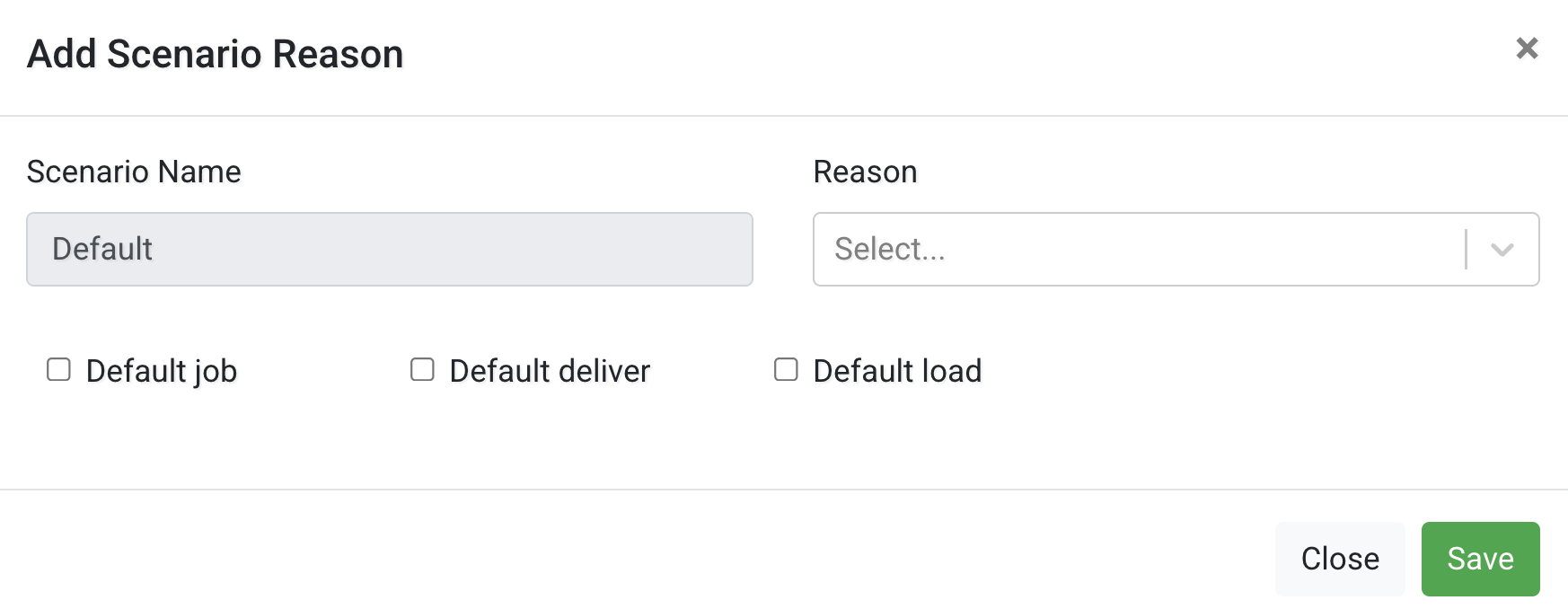
Configure the following:
- Scenario Name – The scenario this configuration applies to.
- Reason – Select one of the configured proof reasons.
Then choose where it should be used as default:
- Default job
- Default deliver
- Default load
After making changes, click Save.