Proof Reasons
Use the Proof Reasons tab to define delivery outcome reasons used in the mobile app.
Proof reasons allow drivers to explain what happened during a job - for example, successful delivery, damaged goods, missing items, or client-related issues.
The table shows all configured reasons and their behaviour flags.
From here, you can: - create a new reason - edit existing ones - import reasons in bulk - export reasons as CSV or Excel
Adding a Proof Reason
Click Actions+ to create a new reason.
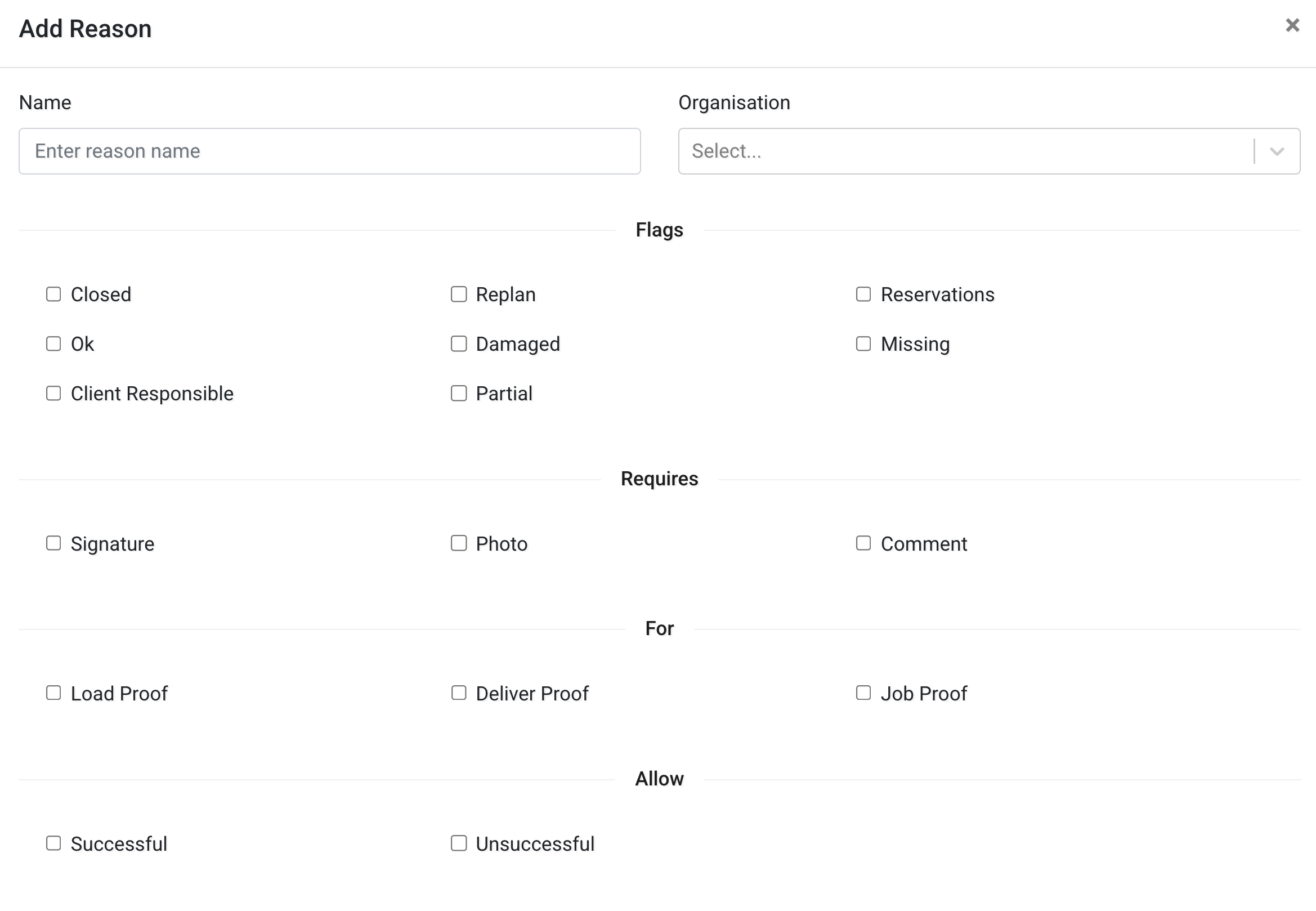
Configure the following fields:
Basic Information
- Name – The label shown to drivers in the app.
- Organisation – The organisation this reason belongs to.
Flags
Flags define how the reason behaves in the system.
- Closed – Marks the job as completed.
- Ok – Indicates a successful outcome.
- Damaged – Indicates damaged goods.
- Missing – Indicates missing items.
- Client Responsible – Indicates responsibility lies with the client.
- Replan – Marks the job as requiring replanning.
- Reservations – Marks the job with a reservation status.
- Partial – Indicates partial completion.
Requires
Define what the driver must provide when selecting this reason:
- Signature
- Photo
- Comment
This ensures the correct proof is collected.
For
Define when this reason is available:
- Load Proof
- Deliver Proof
- Job Proof
Allow
Define the outcome type:
- Successful
- Unsuccessful
TMS Codes
Use TMS Codes+ to link this reason with external Transport Management System codes.
This is useful when integrating Tarot with external systems.
After configuring the reason, click Save.
Importing Proof Reasons
Proof reasons can be imported in bulk using a file.
Click Import to upload a CSV or Excel file.
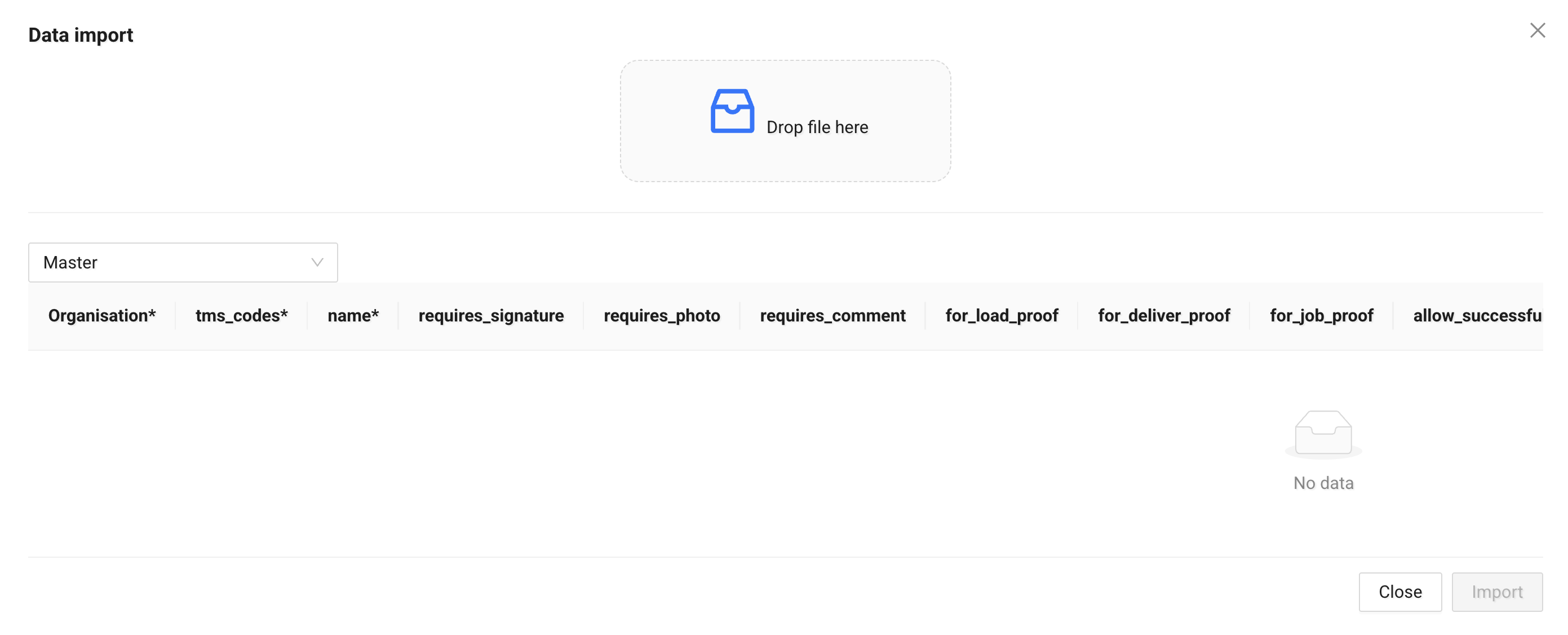
The import template includes fields such as:
organisation*tms_codes*name*requires_signaturerequires_photorequires_commentfor_load_prooffor_deliver_prooffor_job_proofallow_successfulallow_unsuccessful
Fields marked with * are required.
No data is saved until you confirm the import.
Exporting Proof Reasons
Click Export to download existing proof reasons as:
- CSV
- Excel
This is useful for: - backup - bulk editing - system integration