Scenario Templates
Use Scenario Templates to create reusable scenario configurations.
Templates allow you to predefine drivers, territory groups, and default dates — so you don’t need to configure them manually each time.
What is a Scenario Template?
A Scenario Template is a predefined setup that can include:
- A scenario name
- A tracking name (customer-facing)
- Assigned drivers
- Assigned territory groups
- A default date
This helps standardize recurring planning scenarios.
Create a Scenario Template
Click the + button to create a new template.
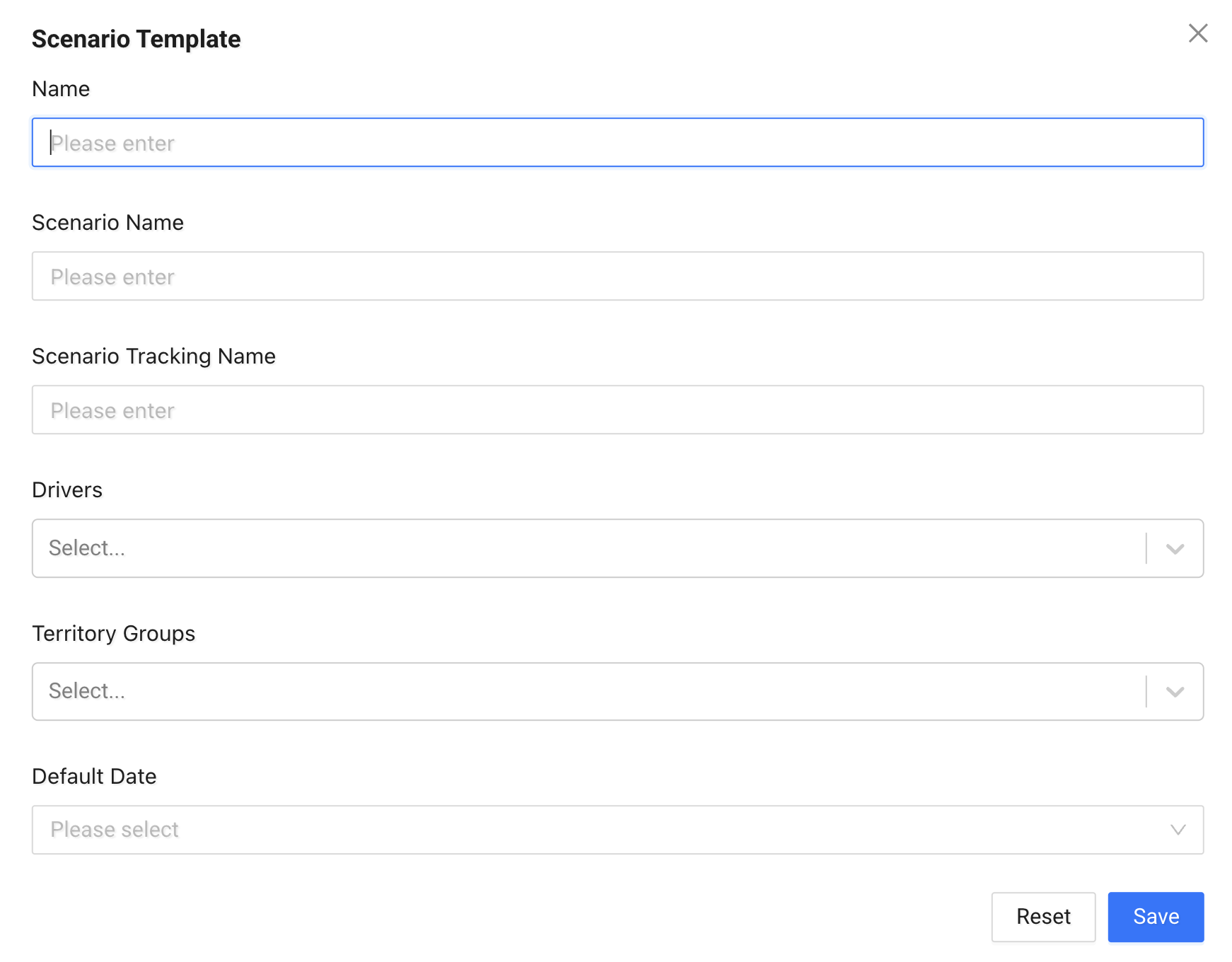
Fill in the following fields:
- Name – Internal name of the template
- Scenario Name – The scenario name used in planning
- Scenario Tracking Name – The name shown in tracking pages
- Drivers – Select one or more drivers
- Territory Groups – Assign relevant territory groups
- Default Date – Set a default scheduling date (e.g. Tomorrow, Next Business Day)
Click Save to create the template.
Managing Templates
From the list view, you can:
- View assigned drivers and territory groups
- See the default date
- Edit existing templates
Note
Scenario Templates do not run automatically. They provide a predefined configuration that can be used when creating or planning scenarios.