Search Jobs
Use Search Jobs to find and review jobs in the Tarot.
This is the place where you can:
- search for jobs using filters
- view job progress
- open job details
- export data
Search Jobs Page
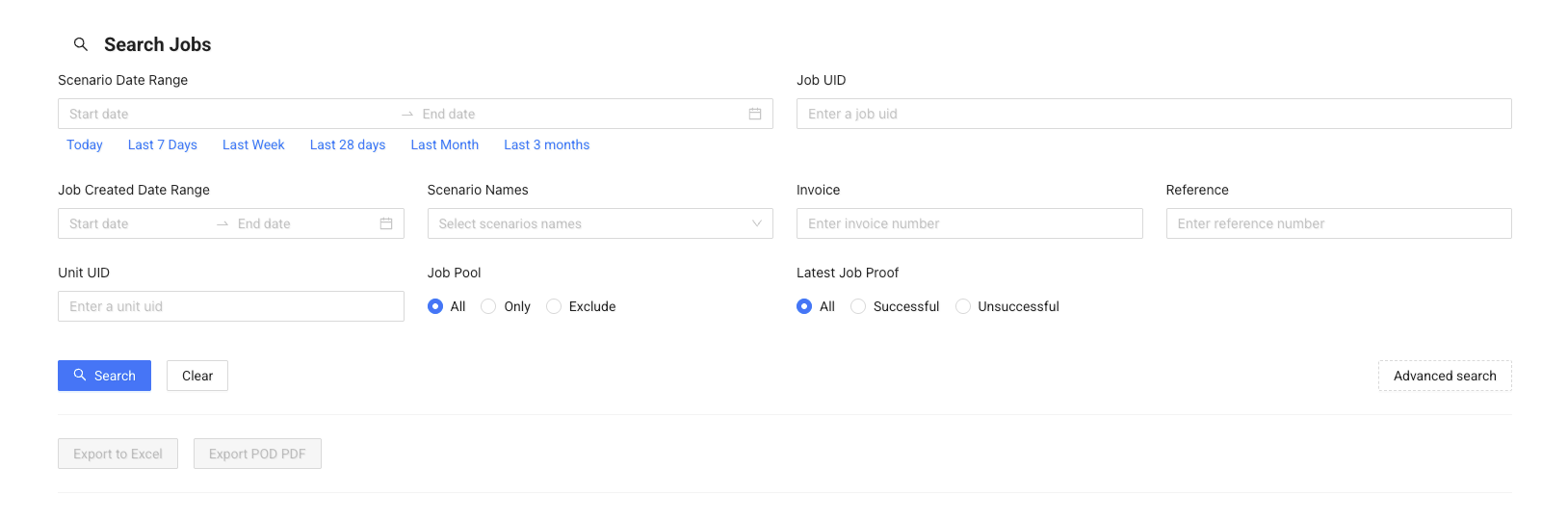
Search Filters
Use filters at the top of the page to find specific jobs.
You can search by:
- Scenario Date Range – when the job is scheduled
- Job Created Date Range – when the job was created
- Job UID / Unit UID – specific job or unit
- Scenario Names – filter by scenario
- Invoice / Reference – search by external references
- Customer Name / Address – find jobs by customer details
You can also filter by:
- Job Pool – include or exclude jobs in the pool
- Latest Job Proof – successful or unsuccessful jobs
Click Search to apply filters or Clear to reset them.
Note
A date range is required when searching. If you are unsure of the exact dates, use a wider date range or perform multiple searches with smaller ranges.
Advanced Search

Click Advanced search to access additional filters.
This helps when you need more precise results, for example:
- filtering by time ranges
- excluding specific scenarios
- searching by additional job fields
Job List
The results table shows matching jobs.
Each row includes:
- Job ID
- Scenario
- Driver
- Invoice / Reference
- Progress status
Job Progress
The Progress column shows the current status of the job.
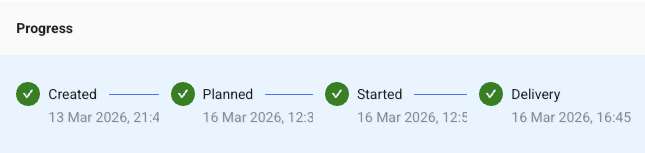
Stages include:
- Created
- Planned
- Started
- Delivery
This helps you quickly understand where each job is in the process.
Job Details
Click Details to open the job.
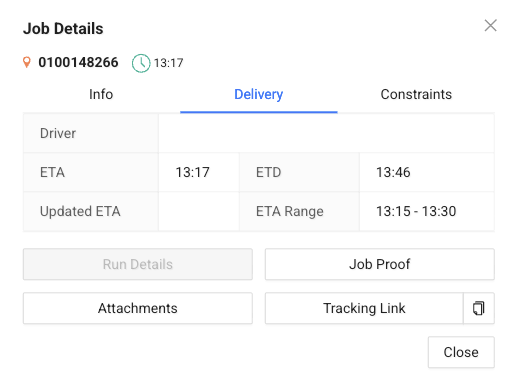
From here, you can:
- View job information
- Open Run Details
- Check Job Proof
- View Attachments
- Access the Tracking Link
Export Options
Use the export buttons to download job data:
- Export to Excel
- Export POD PDF
This is useful for reporting, sharing, or record keeping.
Note
Use filters to narrow down results before exporting large amounts of data.