Search Units
Use this page to find and review individual units within jobs.
Open Search Units
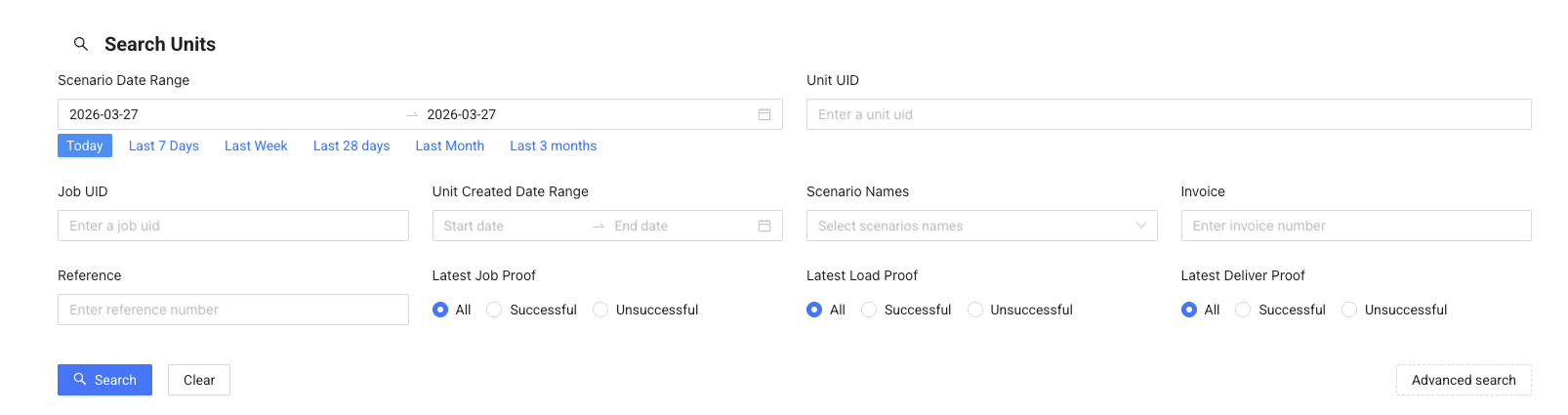
- Go to Delivery Management → Search Units
- Use filters to narrow down the results
- Click Search
Filter Units
You can filter units depending on what you need to find:
- Scenario Date Range – find units planned for a specific time period
- Unit UID / Job UID – search for a specific unit or job
- Scenario Names – filter by scenario
- Customer / Reference / Invoice – find units by business data
- Proof status – filter by:
- Job proof
- Load proof
- Delivery proof
Use filters to quickly find missing, failed, or specific deliveries.
Note
A date range is required when searching. If you are unsure of the exact dates, use a wider date range or perform multiple searches with smaller ranges.
View Results

After searching, you will see a list of units.
Each row shows:
- Unit UID and Job UID
- Invoice and reference
- Scenario
- Status timeline (Created → Loaded → Unloaded)
This helps you quickly understand where each unit is in the delivery process.
View Unit Details
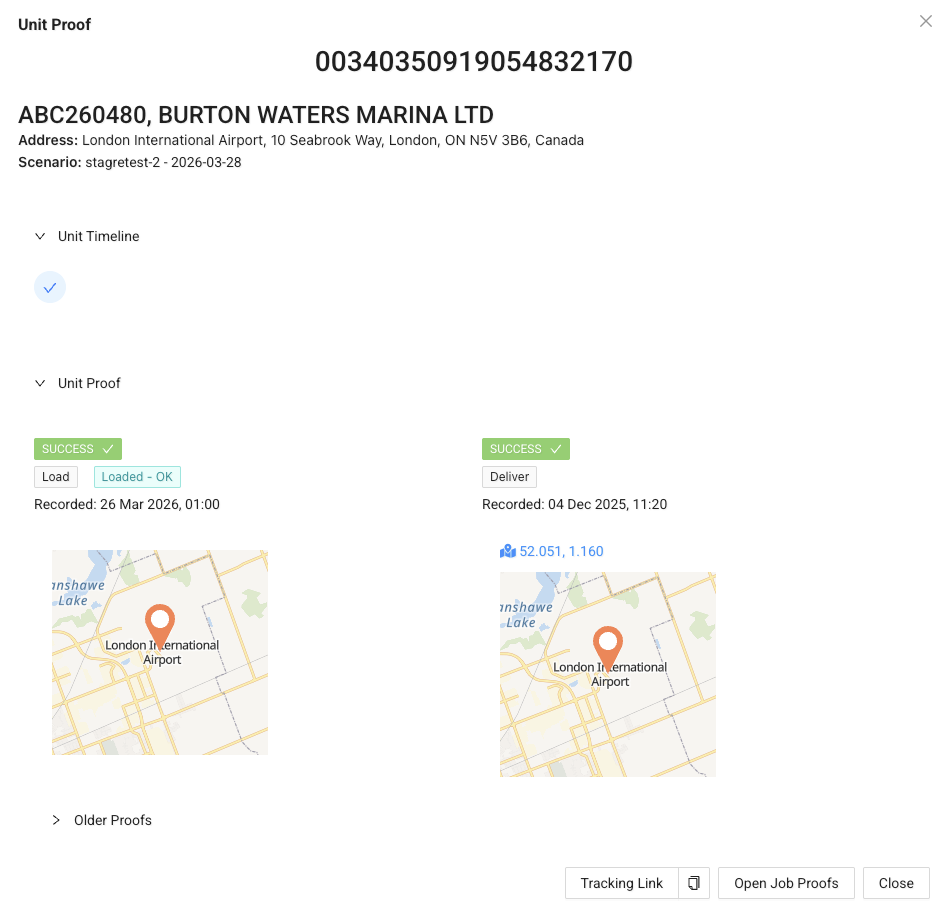
Click Details to open the unit view.
Here you can:
- See the unit timeline
- Check proof of delivery
- Copy the tracking link
- Open related job proofs