Optimisation Settings
Use the Optimisation Settings tab to control how Tarot builds routes.
This is where you decide what the routing engine should prioritise and how jobs are distributed.
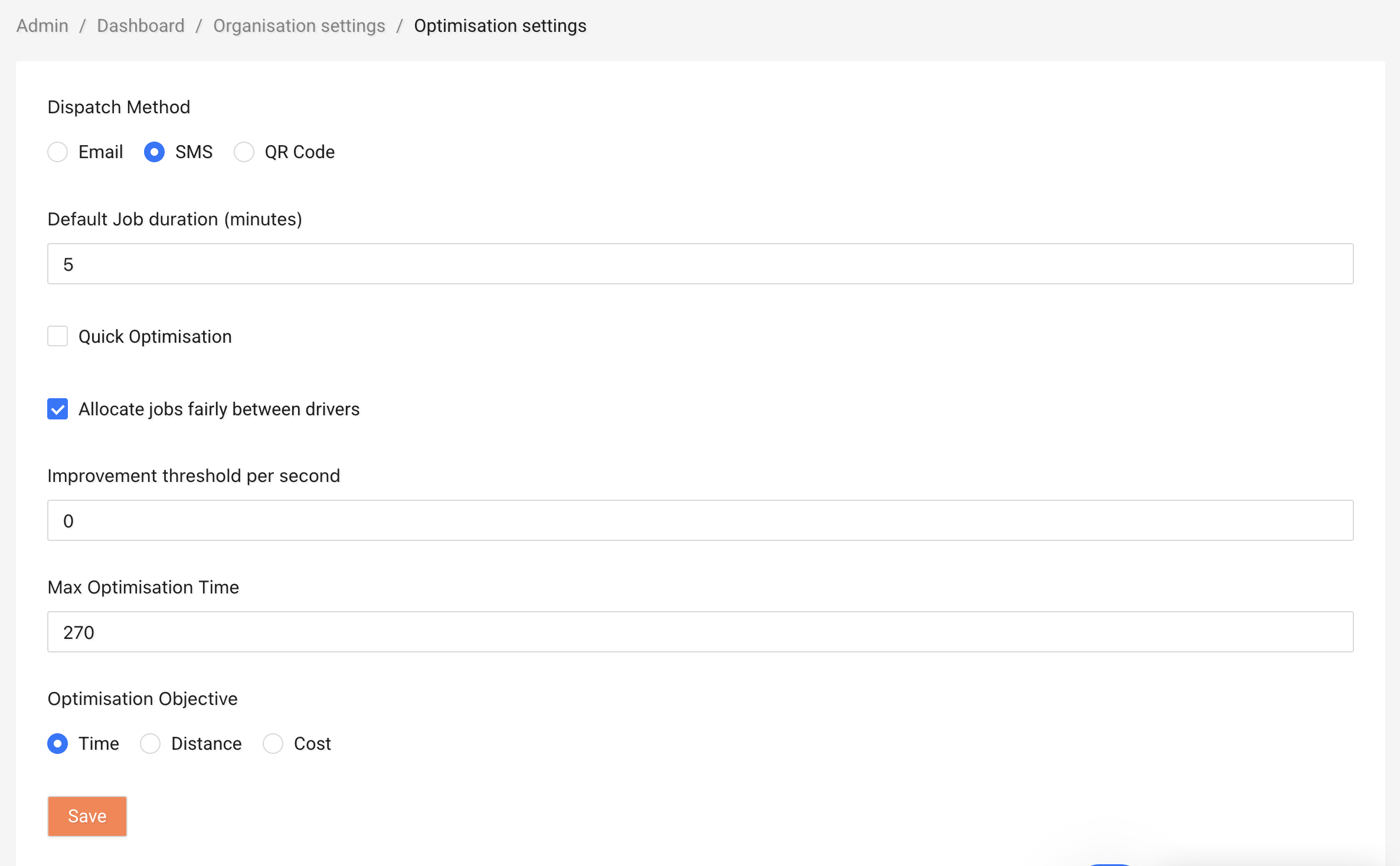
Dispatch Method
Choose how drivers receive their jobs:
- Email – Drivers get job details by email.
- QR Code – Drivers scan a QR code to access their jobs.
Pick the option that fits your daily workflow.
Default Job Duration (minutes)
Set the default time a driver is expected to spend at each job.
Accurate job duration helps Tarot calculate realistic arrival times and schedules.
Quick Optimisation
Turn this on if you want routes to be generated faster.
This is helpful when: - you need results quickly - routes are simple - you're testing different scenarios
Note
Quick Optimisation focuses on speed.
For complex routing, you may get better results with it turned off.
Allocate Jobs Fairly Between Drivers
Enable this option to distribute jobs more evenly between drivers.
This helps: - balance workloads - avoid overloading a single driver - improve team fairness
Optimisation Objective
Choose what Tarot should prioritise when building routes:
- Time – Reduce total travel time.
- Distance – Reduce total distance driven.
- Cost – Reduce operational cost (if cost settings are configured).
Select the objective that matches your business priority.
Example
- Choose Time for urgent or same-day deliveries.
- Choose Distance to reduce fuel usage.
- Choose Cost if managing driver or vehicle costs is critical.
After making changes, click Save to apply them.