Search Runs
Use this page to find and review driver runs in Tarot.
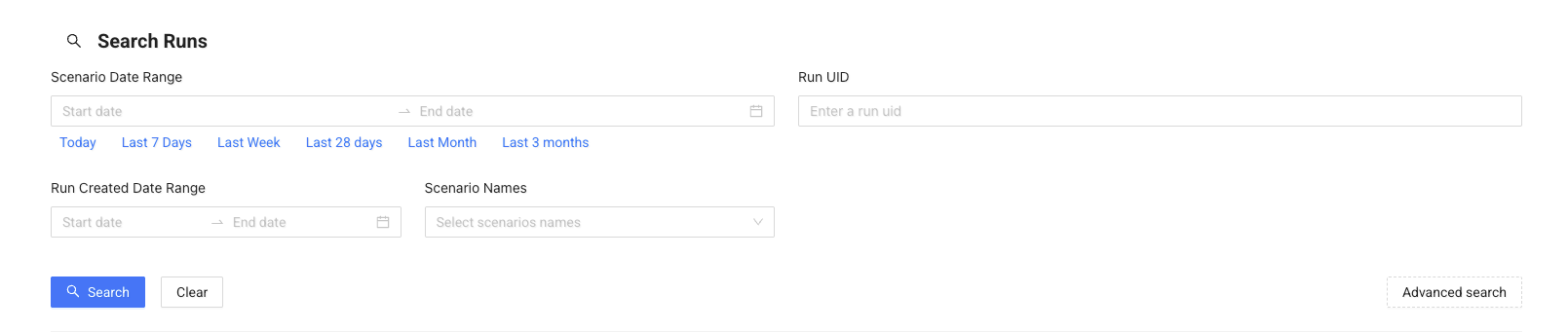
Filter Runs
Use filters to narrow down the results. You can filter runs depending on what you need to find:
- Scenario Date Range – find runs planned for a specific period
- Run UID – search for a specific run
- Scenario Names – filter by route or scenario
- Driver or vehicle – find runs for a specific driver or vehicle
- Reference numbers – search using external reference numbers
Note
A date range is required when searching. If you are unsure of the exact dates, use a wider date range or perform multiple searches with smaller ranges.
Results
After searching, you will see a list of runs.
Each row shows:
- Run UID
- Scenario
- Driver and vehicle
- Status timeline (Created → Started → Closed)
This helps you quickly understand the run status.
Run Details
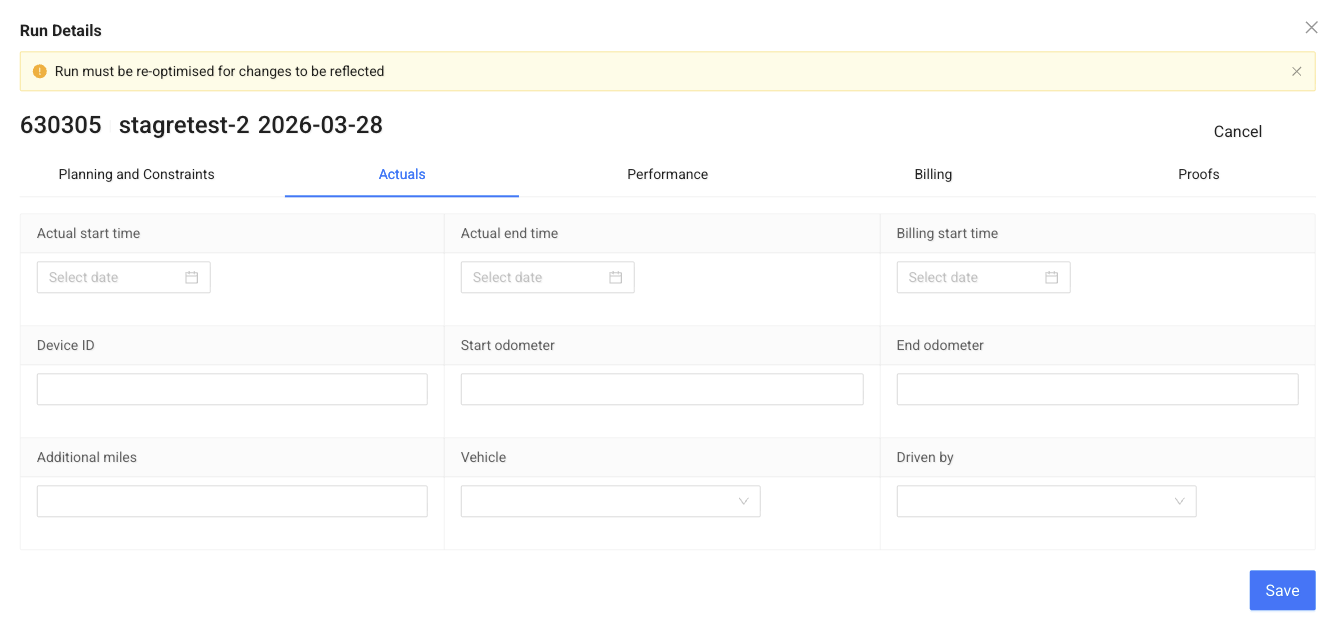
Click Details to open the run.
Here you can:
- View planning details and constraints
- Check actual run data
- Review performance and billing
- Access proofs
Use this view when you need full details about a specific run.