Costing Management
Use the Costing Management section to define and analyse delivery costs in Tarot.
This section includes: - billing rates (cost rules) - run cost calculator (cost estimation and validation)
Billing Rates
Use Billing Rates to define how delivery costs are calculated.
Here you can:
- view all existing billing rates
- compare cost values (per km, hour, run, drop, day)
- edit existing rates or create new ones
Click the edit icon or create a new rate:
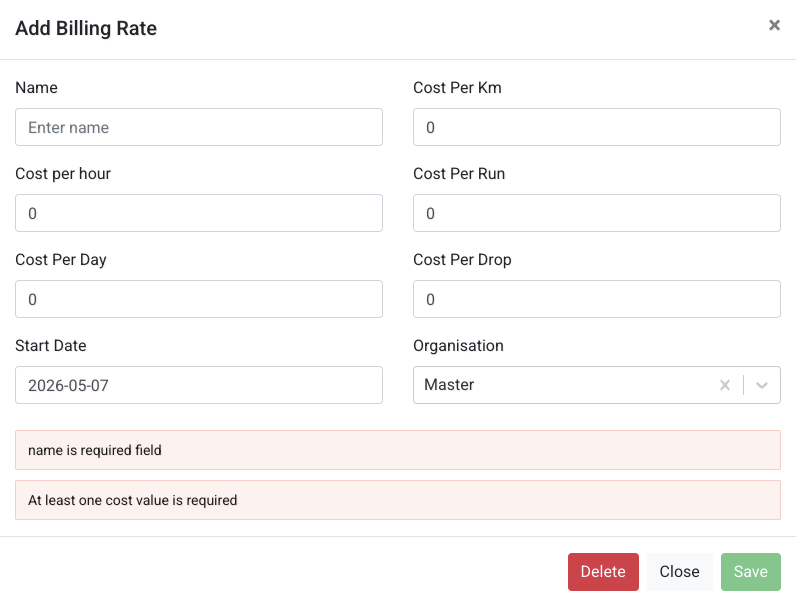
When creating a billing rate, you can:
- set cost per km, hour, run, drop, or day
- assign it to an organisation
- define a start date
Note
At least one cost value must be provided when creating a billing rate.
Info
Billing rates are used later to calculate delivery costs for runs.
Run Cost Calculator
Use Run Cost Calculator to estimate and review delivery costs.
Here you can:
- search runs by ID, date, or scenario
- filter by driver or vehicle (advanced search)
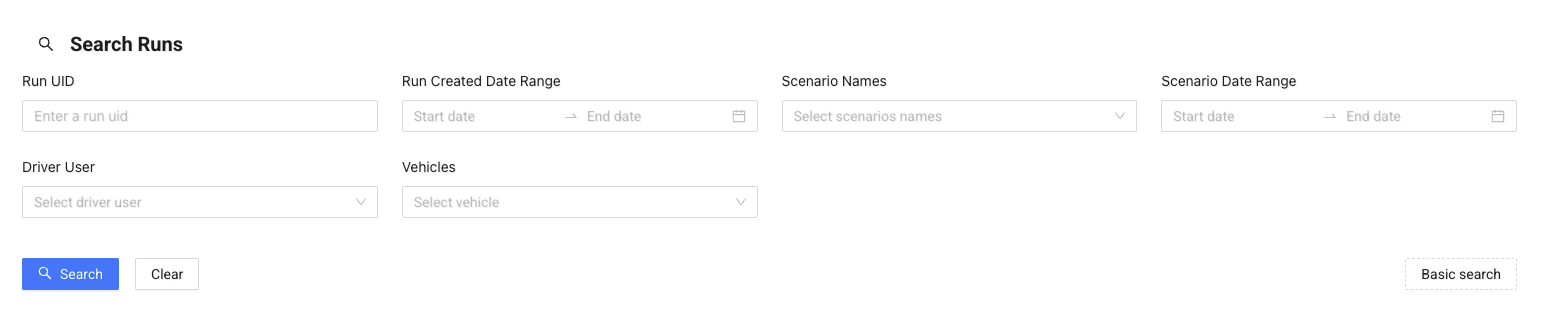
After searching, you can:
- export results
- validate runs
- review cost summary

The summary shows:
- number of runs
- number of jobs
- total distance and time
- estimated total cost
Below, you can review detailed cost breakdown per run.
Click Details to open run details:
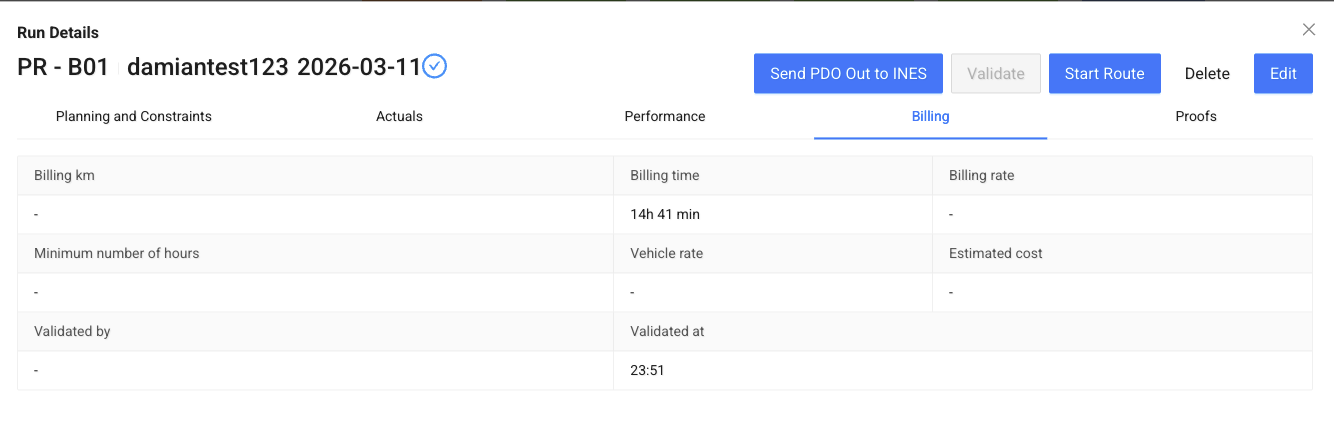
Here you can:
- review planning and constraints
- check actual execution data
- see performance metrics
- view billing calculations